Are you still using a Nepal Telecom (NTC) SIM card registered in someone else’s name? If yes, this updated 2026 guide will help you legally transfer SIM ownership to your own name.
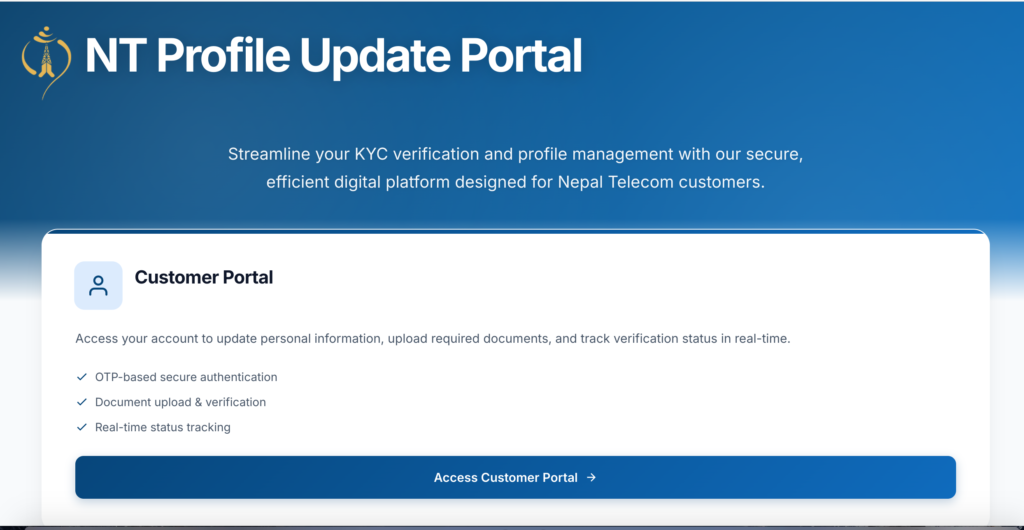
As of January 2026, Nepal Telecom has officially introduced an online KYC update and SIM ownership claim system that allows prepaid GSM users to start the SIM name transfer process from home.
Although a 100% online (zero office visit) process is still under pilot testing, most steps can now be completed online. Only a single physical visit is required for final verification.
Why You Must Transfer NTC SIM Ownership to Your Name in 2026
- 📵 Stricter NTA regulations – SIMs not in your name may be blocked
- 🔐 OTP failures in mobile banking and digital wallets
- 📱 Issues using Nagarik App and government e-services
- ⚠️ Risk of fraud, misuse, or legal complications
- 📄 Old and second-hand SIMs now require mandatory KYC update
Current Status of NTC Online SIM Name Transfer (2026 Update)
- 🔗 Official KYC portal: corporate.ntc.net.np/kyc
- 📍 QR-based pilot verification started in selected offices (e.g., Sundhara)
- 🏢 One-time physical verification still required
- 🚀 Fully online SIM transfer expected soon after pilot success
Step-by-Step Guide: How to Transfer NTC SIM Ownership Online
Step 1: Check Current Registered SIM Owner
Dial *922# from your NTC number.
Step 2: Visit NTC Online KYC Portal
- Open https://corporate.ntc.net.np/kyc/customer/index.php
- Enter your 10-digit NTC number
- Complete captcha and generate OTP
- Enter the received 6-digit OTP
Step 3: Fill Personal Details
- Full name (as per citizenship)
- Father’s, mother’s & grandfather’s name
- Date of birth & gender
- Permanent & current address
- Citizenship or passport number
Step 4: Verify SIM Usage Ownership
- Enter 5 recent outgoing call numbers
- Only outgoing calls are valid
- Upload recharge or call-log proof if requested
Step 5: Upload Required Documents
- Citizenship (front & back, clear, under 1MB)
- Recent passport-size photo
- Optional usage proof for faster approval
Step 6: Submit Application & Select Counter
Review details → choose nearest NTC office → submit.
Step 7: Final Physical Verification
Visit the selected NTC office with original citizenship. SIM ownership is usually updated within 1–3 working days.
Documents Required for NTC SIM Name Transfer (2026)
- Original Nepali citizenship certificate
- Passport-size photo
- Proof of SIM usage
- Consent letter (usually not required)
Good news: In most cases, the original SIM owner does NOT need to be present.
Frequently Asked Questions (FAQs)
Can NTC SIM ownership be transferred fully online?
No. As of 2026, most steps are online, but one physical verification visit is required.
Is the original SIM owner required?
Usually no, if you can prove long-term SIM usage.
How long does NTC SIM ownership transfer take?
1–3 working days after physical verification.
Is online KYC mandatory in 2026?
Yes. NTA regulations require SIMs to be registered under the actual user.
Final Advice
Due to stricter telecom regulations, thousands of users are updating SIM ownership in 2026. Start your NTC online KYC today to avoid service interruption.
For more Nepal telecom updates, visit blinknepal.com.